


If you need continuous quality control of your network devices (servers, workstations, network printers, routers, etc.), in essence, quality control of your whole network, then this network ping tool is for you! Ping Assist Pro can help solve this problem.
The Ping Assist Pro application will notify you when abnormal situations arise in several ways, for example, the network ping tool can show a message in the system tray, play a sound file, or send a text message by email. In addition, the network ping tool can send e-mail status messages at a specified time, containing information about abnormal situations that have occurred.
Ping Assist Pro can keep ping logs, alarm logs and ping statistics. In the alarm log is detailed information about when the problem occurred and when it was eliminated. Ping statistics are in chronological order and can be viewed in a tabular and graphical form to view statistics for a selected device.
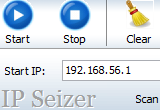
You specify a list of IP-addresses of those devices, which you want to monitor. For your convenience, you can use a scanner that will scan the desired range of addresses and adds the detected devices to your list. For each device, you can assign an appropriate alarm notification, specify ping options and activate an alarm log, ping log and ping statistics.
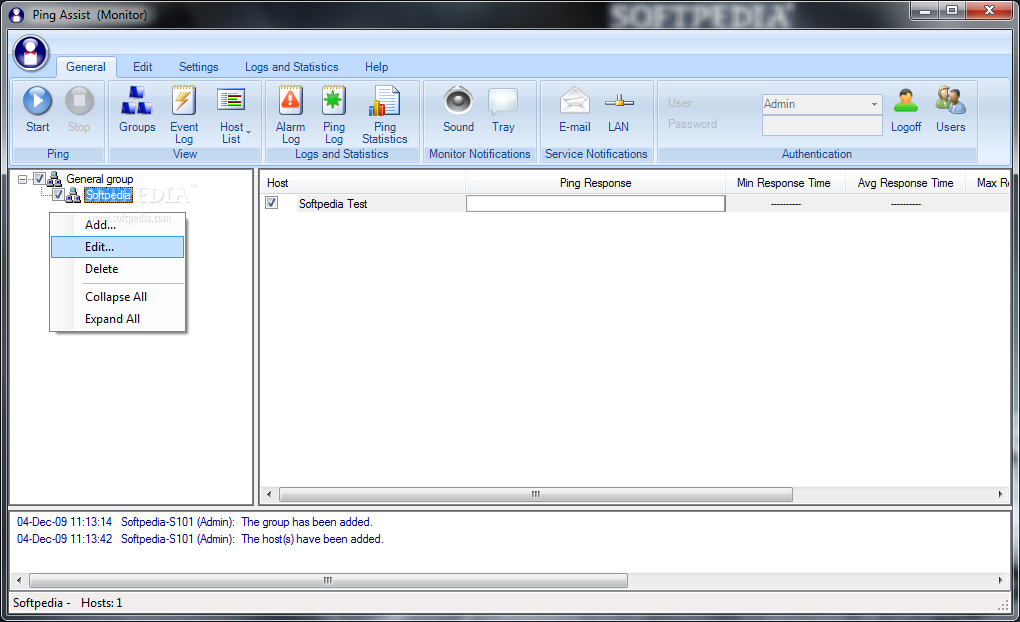
At specific intervals the network ping tool will ping the network devices and, on the basis of the data obtained, form the logs and handle alarm notices. The results of the last ping, as well as general statistics (average response time, minimum response time, maximum response time and percentage of lost packets), are listed alongside each controlled device. From this data, you can judge the quality of a particular node in your network.
The Ping Assist Pro application will notify you when abnormal situations arise in several ways, for example, the network ping tool can show a message in the system tray, play a sound file, or send a text message by email. In addition, the network ping tool can send e-mail status messages at a specified time, containing information about abnormal situations that have occurred.
Ping Assist Pro can keep ping logs, alarm logs and ping statistics. In the alarm log is detailed information about when the problem occurred and when it was eliminated. Ping statistics are in chronological order and can be viewed in a tabular and graphical form to view statistics for a selected device.
You specify a list of IP-addresses of those devices, which you want to monitor. For your convenience, you can use a scanner that will scan the desired range of addresses and adds the detected devices to your list. For each device, you can assign an appropriate alarm notification, specify ping options and activate an alarm log, ping log and ping statistics.
At specific intervals the network ping tool will ping the network devices and, on the basis of the data obtained, form the logs and handle alarm notices. The results of the last ping, as well as general statistics (average response time, minimum response time, maximum response time and percentage of lost packets), are listed alongside each controlled device. From this data, you can judge the quality of a particular node in your network.